

Most Halifax business owners assume that having a website is enough. It’s not. A poorly built or outdated website doesn’t just fail to bring in customers — it actively sends them to your competitors. Here are five warning signs that your current site is working against you.
1. It Takes More Than 3 Seconds to Load
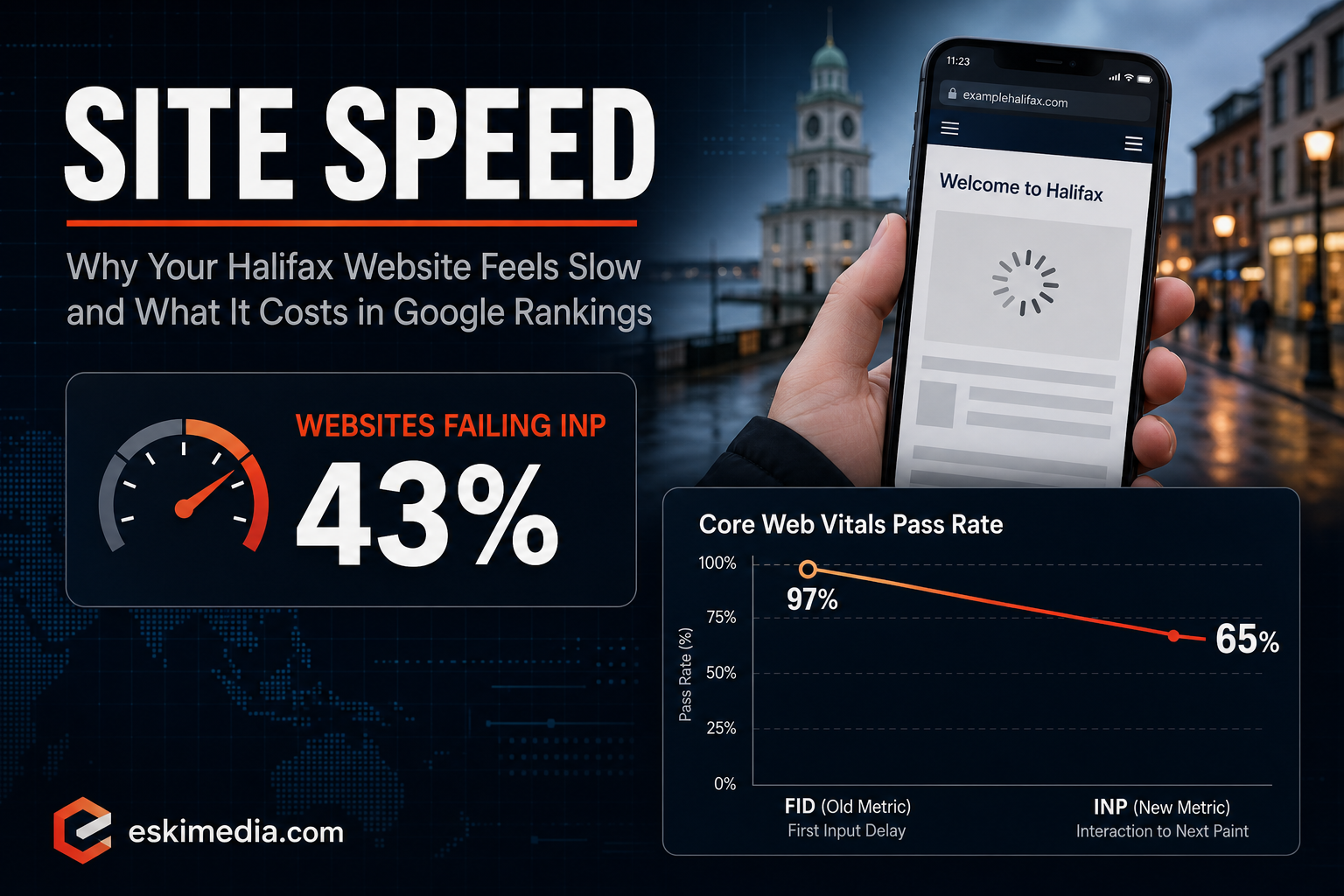
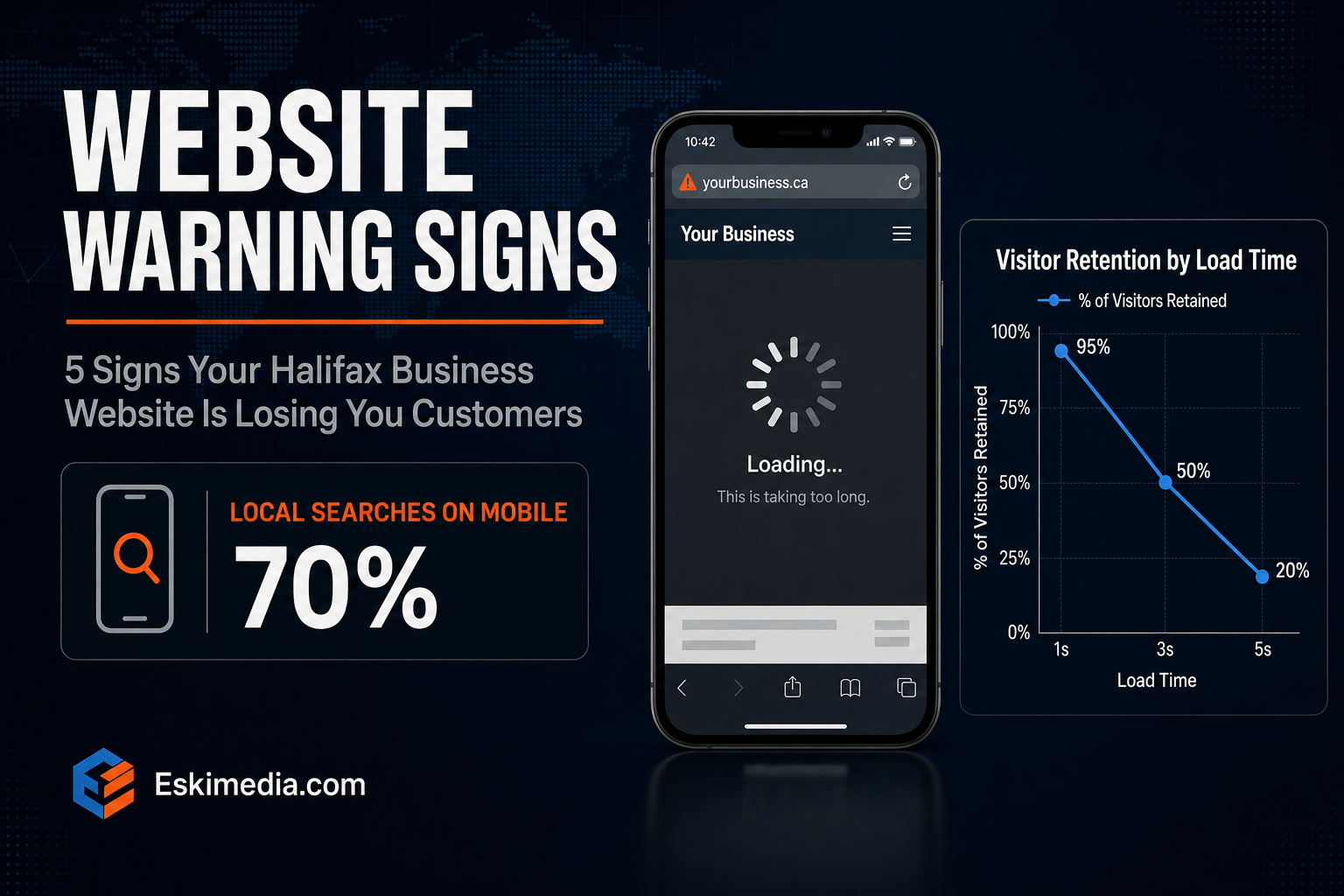
Speed is everything. Studies consistently show that more than half of users abandon a website that takes longer than 3 seconds to load. On mobile — where most Halifax customers are browsing — slow sites are even more punishing.
To check your site speed, go to Google PageSpeed Insights (pagespeed.web.dev) and enter your URL. If you score below 70 on mobile, you have a problem.
Common causes of slow Halifax business websites include uncompressed images, cheap shared hosting, outdated themes, and too many plugins. A properly built site should load in under 2 seconds on mobile. Our web design packages include page speed optimization as standard.
2. It Doesn’t Work Properly on Mobile
Over 70% of local searches in Canada happen on smartphones. If your Halifax customers have to pinch, zoom, and squint to read your website, they’ll leave immediately — and they won’t come back.
Signs of a non-mobile-friendly website include text that’s too small to read without zooming, buttons that are hard to tap, images that overflow the screen, and forms that are difficult to fill out on a phone.
Google also penalizes sites that aren’t mobile-friendly in its search rankings. So a bad mobile experience doesn’t just lose you customers — it also makes you harder to find on Google in the first place.
3. There’s No Clear Call to Action on Every Page
What do you want visitors to do when they land on your page? Call you? Fill out a form? Book an appointment? If your website doesn’t make that next step obvious and easy, most visitors will simply leave without doing anything.
Every single page of your website — including your blog posts, your About page, and your service pages — should have a clear, visible call to action. Something as simple as a “Call Us Today” button or a “Get a Free Quote” form can dramatically increase the number of enquiries you receive.
4. You Can’t Be Found on Google for Local Searches
Try searching “your service + Halifax” or “your service + Dartmouth” right now. Does your website appear on the first page? If not, potential customers who are actively looking for what you offer will never find you.
This is a local SEO problem. It’s caused by missing meta titles, no location-specific content, no Google My Business listing, slow page speed, or simply a site with too little content for Google to understand what you do and where you do it.
The good news: local SEO in Halifax is highly achievable. Because Halifax is a smaller market than Toronto or Vancouver, ranking on page one for local searches is realistic within a few months of proper SEO work.
5. You’re Embarrassed to Send People to It
This one is simple but important. When you meet a potential client at a networking event or hand someone your business card, do you hesitate before saying “check out my website”? That hesitation is your gut telling you something is wrong.
Your website is the digital equivalent of your storefront. If it looks like it was built in 2012 — outdated fonts, stock photos that scream “template,” no testimonials, cluttered layout — it communicates that your business isn’t serious. And in a competitive Halifax market, first impressions are everything.
What to Do If You Recognize These Signs
The good news is that all of these problems are fixable. A properly built website doesn’t have to cost a fortune, and the return on investment — in leads, credibility, and Google visibility — is significant.
At Eski Media, we regularly help Halifax business owners overhaul underperforming websites and turn them into actual lead generation tools. If your current site has one or more of these issues, reach out for a free assessment. We’ll tell you exactly what’s wrong and what it would take to fix it.