
Checkfront vs FareHarbor for Nova Scotia Tour Operators: Fees, Seasonal Math and Your Website

If you run boat tours out of Lunenburg, kayak rentals on the Eastern Shore or food walks in downtown Halifax, you’ve probably narrowed booking software down to two names: Checkfront and FareHarbor. Most comparisons you’ll find were written by one of the two companies. This one wasn’t, and it looks at the decision from a Nova Scotia operator’s seat: a short, intense season, a website that needs to rank, and guests who increasingly book on their phones.
The core difference is how you pay. Checkfront charges a monthly subscription plus a smaller booking fee. FareHarbor charges no subscription and adds a larger booking fee, usually paid by the guest at checkout. Which one costs less depends mostly on your online booking volume and on who you want paying the fee.
How Each One Charges (September 2026)
| Checkfront | FareHarbor | |
|---|---|---|
| Monthly fee | $99 a month (currency depends on region) | None |
| Online booking fee | 3% | Commonly reported at around 6% in North America; set when you sign up |
| Offline bookings (phone, walk-up) | No booking fee | Check your agreement |
| Who pays the booking fee | You choose: absorb it or pass it to guests | Usually added to the guest’s total at checkout |
| Card processing | Separate | Separate |
Checkfront publishes its pricing on its pricing page. FareHarbor’s rates are agreed during onboarding and aren’t published in the same way. Independent write-ups such as this breakdown describe a typical 6% fee, lower for some high-volume operators and higher in some niches. Confirm your own rate in writing.
The Seasonal Math
Here’s where a Nova Scotia season changes the answer. Checkfront’s $99 is charged every month, including the months you’re closed. That’s $1,188 a year.
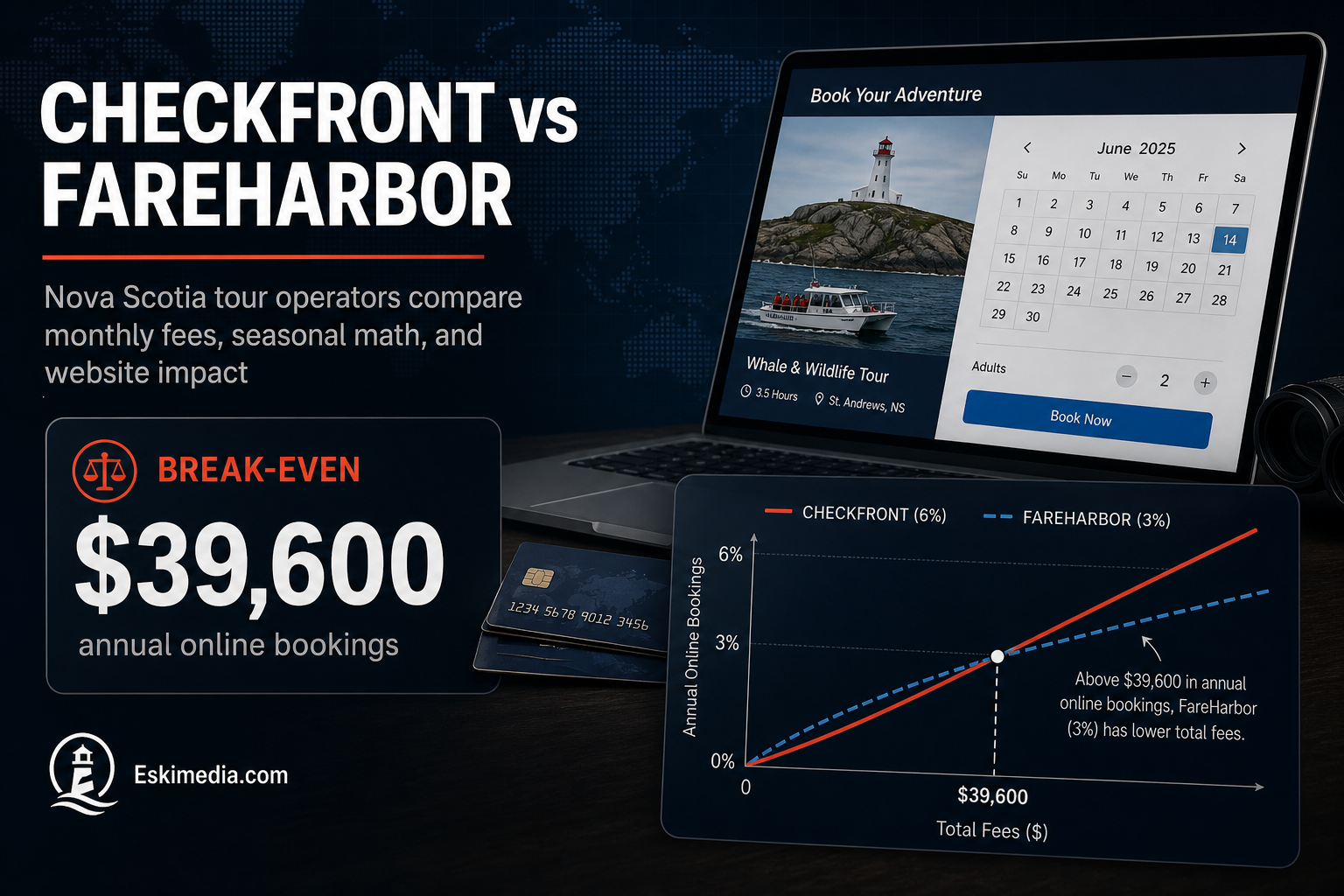
If you absorb the booking fee yourself, Checkfront’s 3% is cheaper than a 6% fee on every dollar, but you pay the subscription too. The break-even is where the 3-point difference on your online bookings covers $1,188 a year:
$1,188 ÷ 0.03 ≈ $39,600 in online bookings a year.
Above that, Checkfront costs you less. Below it, and if you’re absorbing fees, FareHarbor’s no-subscription model costs less.
If you pass the fee to guests, the comparison shifts to what the guest sees. A $100 tour shows as roughly $106 with a 6% fee, or $103 with Checkfront’s 3% passed on. On a family of four booking a $120-per-person whale watch, that’s the difference between about $509 and $494 at checkout. Some guests notice. Most don’t. It matters more for price-sensitive activities than for premium experiences.
What Matters Beyond Price
Your website and your search rankings
Both systems let guests book from your own website through an embedded widget or pop-up. The booking step itself runs on the software provider’s system. That’s fine, as long as your tour descriptions, photos, FAQs and prices live on your own pages. Those pages are what Google ranks. A site where every “Book now” button leads straight to a third-party page, with little content of your own, gives search engines very little to work with.
In practice: one page per tour on your site, with a real description, meeting point, duration, what to bring, cancellation policy and good photos. Then the booking button.
Mobile checkout
Test the full booking flow on a phone, on mobile data, before you commit. Count the taps from your tour page to a confirmed booking. Guests booking from a campground or a parking lot won’t fight a slow checkout.
Google and online travel agencies
Both platforms connect to online travel agencies, and booking links can appear in Google’s things-to-do results through connected systems. Check which specific channels each one supports for your type of activity, and what fees those channels add on top.
Waivers, resources and staff
If you need signed waivers, track boats, bikes or guides as limited resources, or have staff checking guests in on a tablet at the dock, run a trial with a realistic day’s schedule in each system. These features look similar on a comparison chart and feel very different in use.
Data and the guest relationship
Ask how you can export your customer list and bookings, and what happens to that data if you leave. Repeat guests and email marketing depend on it.
Which One Fits Which Operator?
| Checkfront tends to fit… | FareHarbor tends to fit… |
|---|---|
| Operators with steady online volume above the break-even | Smaller or newer operators who want no fixed monthly cost |
| Businesses that want control over who pays fees | Operators comfortable with guests paying the booking fee |
| Rentals and accommodation-style bookings as well as tours | Operators who want a hands-on onboarding and support model |
| Year-round operators, where the subscription is spread over more bookings | Short-season operators with modest online volume |
Getting More Direct Bookings Either Way
The software handles the transaction. Guests still have to find you and choose you. For tourism operators, the biggest levers are usually:
- Video and aerial footage that shows the experience: the water, the coastline, the group out on the tour. It’s what sells a trip on Instagram and on your tour pages.
- A fast, clear website with one strong page per experience.
- A complete Google Business Profile with current photos, seasonal hours and plenty of recent reviews.
For rural operators, make sure guests can actually find the dock or trailhead. Our guide to fixing rural Google Maps pins covers that.
We build tourism websites that put the tour content on your own pages and connect cleanly to whichever booking system you choose, as part of our web design work. The footage that fills those pages comes from our video and drone services. If you’re choosing a booking system or rebuilding before next season, send us your current site and last season’s rough booking volume.