
PDF Menus Are Costing Halifax Restaurants Diners: What to Fix, and How to Sync Your Google Menu

You’ll read that Google can’t index PDF menus. It can. Google lists PDF as one of the file types it indexes, and PDF menus show up in search results all the time. The myth persists anyway.
The real problems are different, and for a Halifax restaurant they’re worth fixing. A PDF menu is often a scanned image with no readable text. It’s awkward to read on a phone, which is where many people check a menu. It doesn’t connect to your Google Business Profile menu. And last season’s version tends to stay in search results long after you’ve changed the prices.
The fix isn’t to delete the PDF. It’s to make a proper menu page on your website the main version, keep the PDF as a printable extra, and keep your Google Business Profile menu in step with both.
What Actually Goes Wrong With PDF Menus
| Problem | Why it matters |
|---|---|
| The PDF is a scan or a designer’s export flattened into an image | There’s no text for Google to read, so dish names never match searches. Screen readers can’t read it either |
| Pinch-and-zoom on a phone | People checking the menu on the sidewalk give up and look at the next place |
| Old versions stay live | A menu uploaded as menu-summer-2024.pdf keeps ranking with old prices after the new one goes up at a new address |
| No links in or out | A PDF is a dead end: no reservation button, no hours, no link back to the site |
| Slow to open on mobile data | Large, image-heavy PDFs take seconds to load |
What a Good Menu Page Looks Like
A menu page on your website, built in ordinary text, fixes most of that at once. It should have:
- Real text for section names, dish names, short descriptions and prices. Not an image of your printed menu.
- Clear sections that match how people decide: starters, mains, vegetarian, kids, drinks, desserts.
- Dietary notes as text: vegetarian, vegan, gluten-free options, and a line on how you handle allergies. People search for “gluten-free brunch Halifax”, and a text menu can match that.
- A reservation or order button and your hours near the top.
- One permanent address, like /menu/, that you update in place, so every link and every search result always shows the current menu.
- The PDF as a download below it, for people who want to print it.
Menus change. If yours changes weekly or seasonally, that’s a reason for a web page, not against it. Updating text on a page is faster than exporting and uploading a new PDF.
Connect It to Your Google Business Profile
For food and drink businesses, Google Business Profile has a menu editor. You can:
- add menu items with descriptions and prices, organized into sections
- add a menu link, which should point to your menu page, not the PDF
- upload a photo or PDF of your menu and let Google generate a draft menu from it, which you then review and edit
The generated menu is a useful shortcut, but check every item and price before publishing. Machine reading of a stylish menu design isn’t perfect.
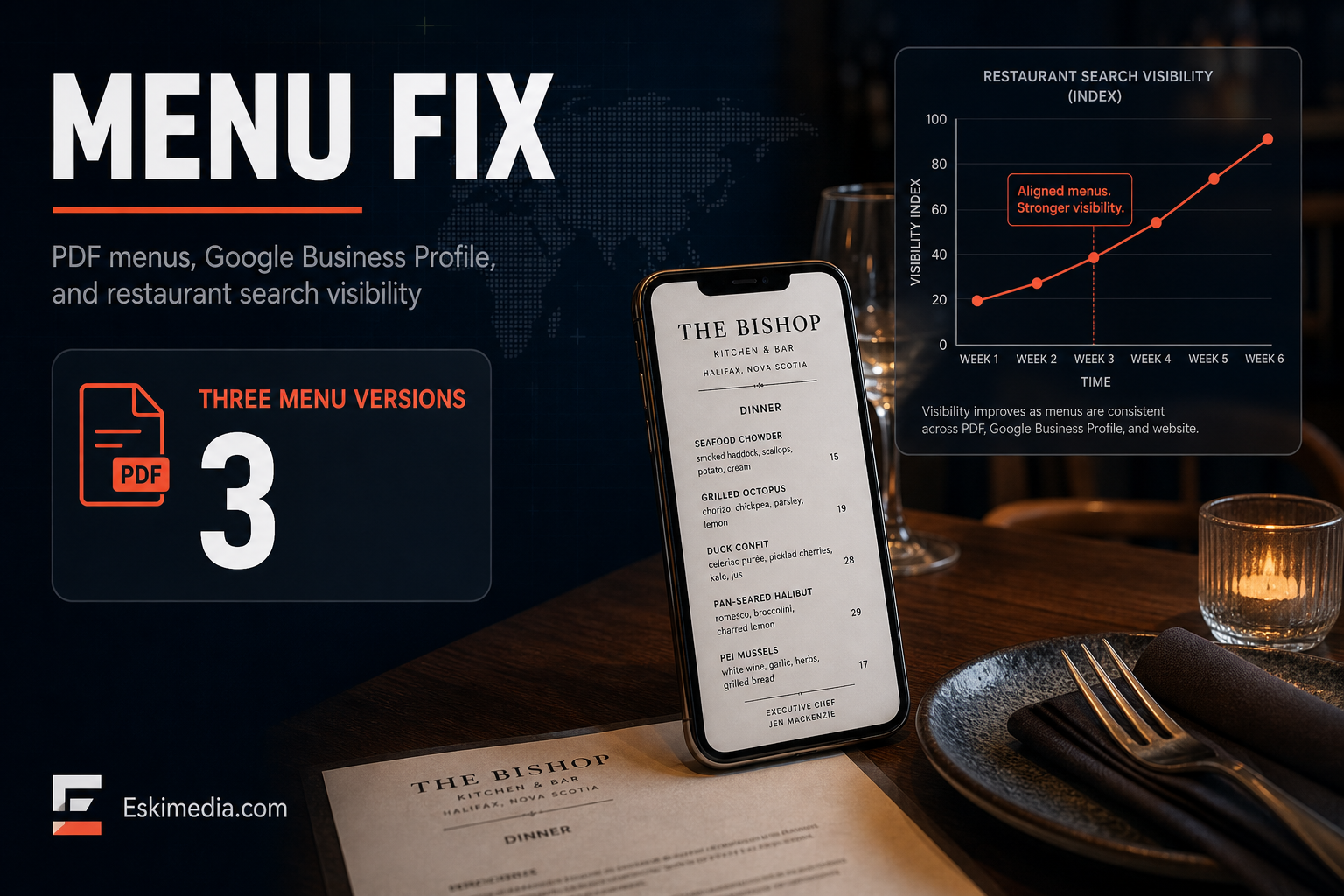
Keep three things aligned: the printed menu, the menu page on your site and the profile menu. When a price changes, change all three. Customers who see one price on Google and another at the table don’t blame Google. They blame you.
Clean Up the Old PDFs
- Search
site:yourdomain.com filetype:pdfin Google to see which PDFs are indexed. - For each old menu, either delete it and redirect its address to your current menu page, or replace the file at the same address with the current version.
- From now on, upload new PDFs to the same file name each time, like menu.pdf, rather than a new name per season.
In WordPress, the Media Library often keeps old files at their original addresses even after you stop linking to them. A redirect plugin handles step 2.
Photos, Not Just Words
People choose restaurants with their eyes. Add real photos of your most popular dishes to the menu page and to your Business Profile. Google also draws on customer photos and reviews when it highlights dishes, so it helps when your best dishes photograph well in your own lighting. A few good photos of the dishes people come back for often do more than a full gallery of everything.
Accessibility Matters Here Too
An image-only PDF is one of the most common accessibility failures on restaurant sites: a person using a screen reader can’t read the menu at all. A text menu page solves it. Nova Scotia’s accessibility standards for websites are still in development, but here’s where they stand and what’s worth doing now.
Restaurants that want more bookings from search usually need three pieces working together: a fast site with a real menu page, a well-kept Business Profile, and sometimes ads for the busy seasons. We covered the ads side in how Halifax restaurants get more customers with Google Ads. Building menu pages and keeping profiles current is part of our website and local SEO work, and our photography service covers the photos. Send us your menu and we’ll tell you what we’d change first.