
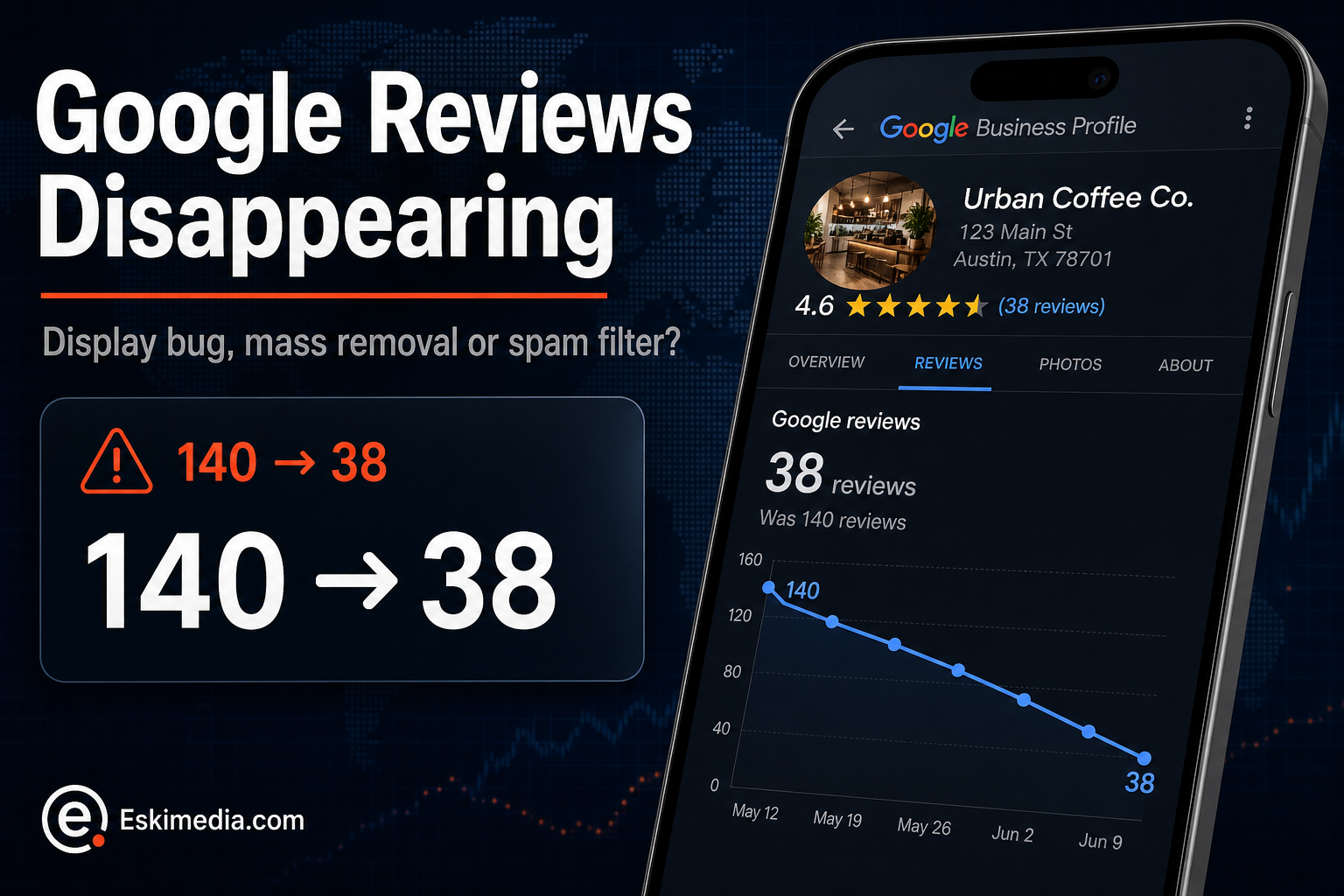

You had 140 Google reviews on Monday. On Wednesday you have 38. Or your Business Profile dashboard says “You have no reviews yet” while customers tell you they can still see them. In 2026, a lot of business owners have had one of these mornings.
Before doing anything, work out which of four very different things has happened. Two of them fix themselves. One is Google’s spam filter reacting to how reviews were collected. One means you should contact support. The wrong reaction, especially a panicked push for replacement reviews, can make the real problem worse.
What Happened in 2026
Two separate problems overlapped this year.
- Mass removals. Business owners reported large, sudden drops, first in February and then on a larger scale in early July 2026. Google acknowledged that its systems had removed an abnormal volume of reviews and said reviews removed by mistake would be restored.
- A dashboard display bug. From around July 9, some owners’ dashboards showed “You have no reviews yet” while their public listing still displayed every review.
Behind both sits stricter automated moderation. Google checks reviews against its policies, and its help page on missing reviews is blunt that reviews removed for policy violations won’t be restored.
Which One Is Happening to You?
| What you see | Most likely | What to do |
|---|---|---|
| Dashboard shows no reviews, but the public listing still shows them | Display bug | Nothing. Check the public listing in a private browser window. Your customers see what they always saw |
| A large share of long-standing, genuine reviews vanished within a day or two | Mass removal incident | Document it and wait a few weeks for restoration before escalating |
| Mostly recent reviews disappeared, often from a single campaign | Spam filter reacting to how they were collected | Change how you ask for reviews (below). These rarely come back |
| New reviews won’t post, or a notice says reviews are temporarily restricted | Temporary restriction after suspicious activity | Stop soliciting for now and contact support |
| Reviews dropped after merging or moving the profile | Consolidation in progress | Wait several days. Google says merged profiles can take time to show all reviews |
A single review can also disappear for boring reasons: the reviewer deleted it, edited it, or their Google account was removed.
Step 1: Document Before You Do Anything
Take screenshots of your public listing showing the current review count and rating, with the date visible. If you have any record of the count before the drop, from an old screenshot, a review widget on your website, or your reporting tool, save that too. If you end up contacting support, this is what they’ll want to see.
Step 2: If It Looks Like the Mass Removal, Wait
If many old, legitimate reviews disappeared at once and you hadn’t changed anything, you’re most likely caught in a broad removal. Reports since July suggest many affected profiles saw reviews return on their own within a few weeks. Give it that time.
If nothing has returned after three or four weeks, contact Business Profile support from inside your profile. Keep it factual: the date of the drop, the before and after counts, and that the reviews were from genuine customers over several years.
Step 3: If Recent Reviews Were Filtered, Look at How You Asked
This is the case business owners least want to hear, and the one they can most influence. Automated moderation looks for patterns that resemble fake or incentivized reviews. Common triggers that catch honest businesses:
- Bursts. Fifteen reviews in two days after a year of one a month looks unnatural, even when every one is real.
- Same place, same network. A tablet at the counter, or customers leaving reviews on your shop Wi-Fi, can look like one source.
- Incentives. Discounts, draws or freebies in exchange for reviews break Google’s rules. In Canada, they can also raise issues under the Competition Act’s rules on misleading representations.
- Staff, friends and family. Even well-meant reviews from people close to the business are against policy.
- Very short, similar reviews arriving close together.
The fix is a steady routine: ask every satisfied customer, individually, after the job, through a direct link they use on their own phone. Our guide on getting more Google reviews without breaking the rules covers how to set that up.
What Not to Do
- Don’t ask everyone to repost at once. A flood of replacement reviews is exactly the pattern the filter is built to catch.
- Don’t buy reviews or use a review “service” that promises to restore your rating. That’s how temporary problems become suspensions.
- Don’t edit your business name, address or category to “reset” things. Profile changes can trigger re-verification and create a second problem.
- Don’t argue with customers in public replies about missing reviews. Keep replies about their experience.
Protecting Yourself Next Time
- Show reviews on your website through a widget or quotes you’ve saved, so a sudden drop on Google isn’t the only proof of your reputation.
- Take a monthly screenshot of your review count and rating. It takes ten seconds and makes any future support request much easier.
- Collect reviews on more than one platform your customers actually use.
- Keep a steady, individual review request process rather than occasional campaigns.
Reviews also feed into how you rank on the map. If a drop coincided with losing visibility, our explanation of what decides local map rankings puts that in context.
Review monitoring and a compliant request process are part of how we manage Business Profiles in our local SEO service. If your review count dropped and you’re not sure which of these situations you’re in, send us your profile link and we’ll tell you what we see.