
Performance Max Is Filling Your Contact Form With Spam: How to Stop Paying for Bot Leads

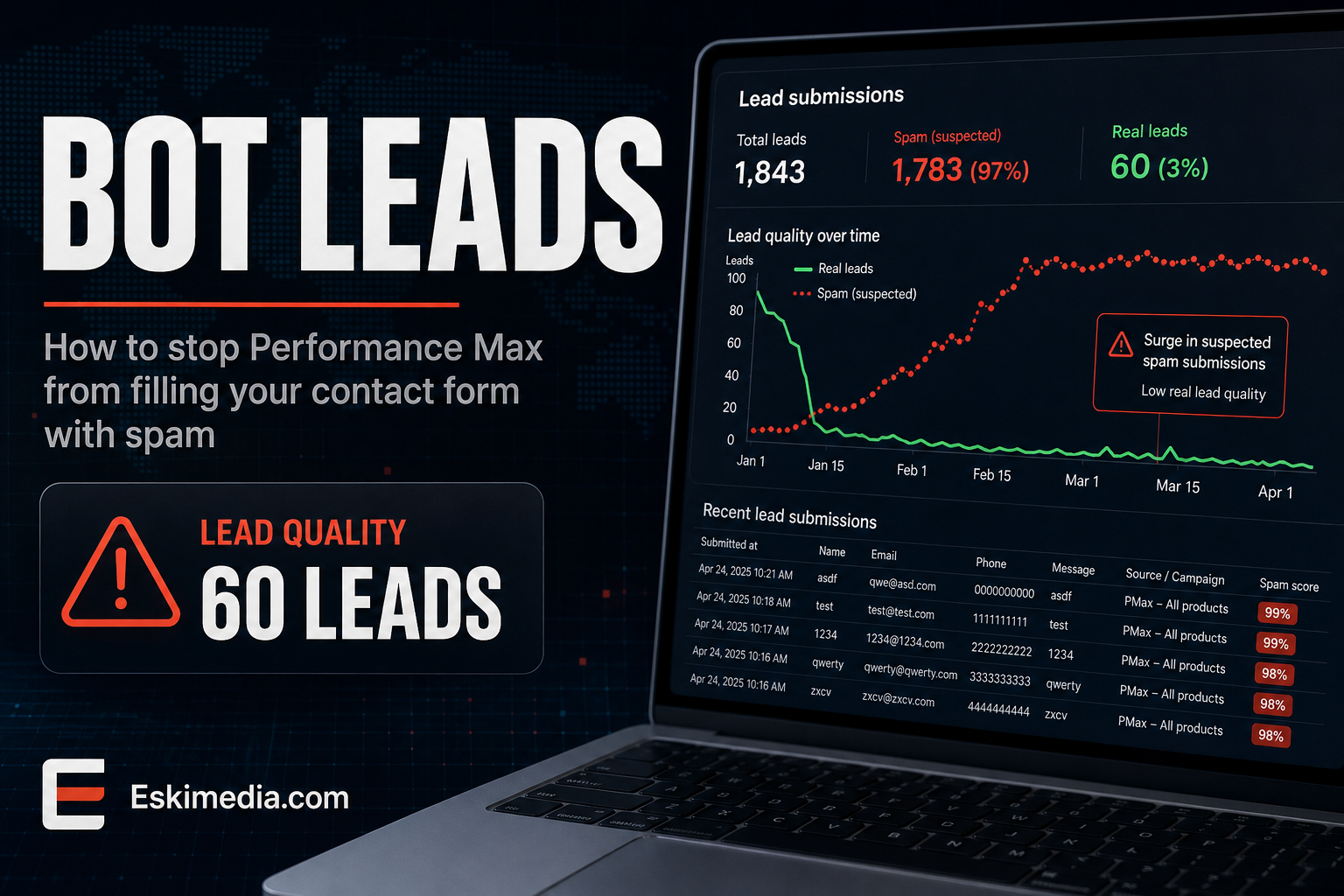
Your Performance Max campaign reports 60 leads this month at a great cost per conversion. You open the inbox and find names like “hgfdsa”, phone numbers that don’t exist, and messages pasted in Russian. Maybe five were real.
This is one of the most common complaints about Performance Max for lead generation, and the cause is simple. Performance Max optimizes toward whatever you tell it counts as a conversion. If spam form submissions count, it learns to find more of the traffic that produces them. That traffic is cheap and plentiful, mostly outside Google Search, on display placements, apps and other inventory where bots and accidental clicks are common.
So the fix is in two places: stop junk from counting as a conversion, and tell Google which leads were real. Then, if needed, narrow where the campaign can show.
How to Tell If Your Leads Are Bots
Look at the last 30 submissions and check for these patterns:
- Keyboard-mash names, or a first name and last name that are identical
- Phone numbers with the wrong number of digits, or ones that never connect
- Submissions arriving seconds apart, or at 3 a.m. in clusters
- Messages unrelated to your business, often with links
- Email addresses at random Gmail handles that bounce
- Real-looking details that belong to someone who never contacted you, which can be form-filling bots using scraped data
If more than a handful fit, the campaign is learning from junk.
Step 1: Stop Junk From Counting as a Conversion
This is the most important step. Nothing else works while spam is still reported to Google as success.
Fire the conversion only after a real submission
Check how your form conversion is tracked. If it fires when someone clicks the submit button, or when any page with “thank-you” in the URL loads, bots trigger it easily. Fire it only after the form has actually been validated and sent, usually on a thank-you page that can’t be reached any other way, or through your form plugin’s own conversion event.
Put spam protection on the form
- A honeypot field. A hidden field that humans never see and bots fill in. Most WordPress form plugins, including Elementor Forms, WPForms and Gravity Forms, have one built in or available.
- Cloudflare Turnstile or Google reCAPTCHA. Turnstile is free and usually invisible to real visitors.
- Proper validation. Require a phone number in a valid Canadian format and a message with more than a few characters.
- A qualifying question. “What do you need help with?” as a dropdown, or “What’s your postal code?” filters out a surprising amount, and tells you whether the lead is in your area.
If you use Google’s own lead form assets, add qualifying questions there too. Those forms fill in details automatically from the user’s Google account, which makes accidental and low-intent submissions easy.
Step 2: Tell Google Which Leads Were Real
Removing junk helps, but Performance Max still treats every remaining form fill as equal. You get much better results when you feed back which ones became real inquiries or jobs.
Google’s enhanced conversions for leads does this. The form captures the lead’s email or phone number, you mark which leads were qualified in your CRM or even a spreadsheet, and that result goes back to Google Ads. Google recommends choosing a qualified lead or converted lead as the goal, so the campaign optimizes toward people who turned into real inquiries rather than anyone who submitted a form.
For a small business without a CRM, even a weekly upload of genuine leads from a spreadsheet makes a difference. Several CRMs and tools like Zapier can automate it.
Until you have that in place, consider making phone calls over a minute long your primary conversion and moving form submissions to secondary. Calls are much harder to fake.
Step 3: Narrow Where the Campaign Can Show
Performance Max gives you fewer controls than a Search campaign, but more than it used to.
- Negative keywords. Since 2025 you can add up to 10,000 negative keywords per Performance Max campaign. Use the same research, DIY and job-seeker negatives you’d use in Search. They only affect Search and Shopping inventory, not display or video.
- Placement exclusions. Review where your ads appeared and exclude junk sites and apps at account level so they apply to Performance Max too.
- Final URL expansion. By default Performance Max can send people to other pages on your site that it thinks are relevant. Turn this off or exclude pages like your blog, careers page and privacy policy, so clicks land on pages built to generate inquiries.
- Brand exclusions. If your brand name is covered by a separate Search campaign, exclude it from Performance Max so the two don’t compete and Performance Max doesn’t claim credit for people who were already looking for you.
- Channel reporting. Check the channel performance report to see how much spend goes to Search versus YouTube, Display and other inventory. If almost all the junk comes from one channel, you’ll see it there.
Is Performance Max Right for a Small Local Business at All?
Sometimes not. Performance Max works best with enough conversion volume to learn from and accurate data about which conversions matter. A local trade with a modest budget and a handful of real inquiries a month often has neither.
| Performance Max makes sense when… | A Search campaign is usually better when… |
|---|---|
| You have steady conversion volume every month | You get a few genuine inquiries a month |
| You can feed back qualified leads or sales | Form fills are your only signal |
| You have good images and video for display and YouTube | You have no creative beyond text |
| Your budget can absorb a learning period | Every dollar needs to reach people searching for your service |
Running a well-built Search campaign first, fixing tracking, and only then testing Performance Max alongside it is a safer order for most small accounts. If Search itself isn’t producing calls, start with why Google Ads gets clicks but no calls.
After the Fix: What to Expect
Reported conversions will drop, sometimes sharply, once spam stops counting. That’s the point. The cost per conversion will look worse and the cost per real inquiry should improve. Give the campaign a few weeks to relearn on the cleaner signal before judging it, and compare the number of genuine leads, not the dashboard number.
Most of this work sits between the ad account and the website: the form, the thank-you page, the conversion tag and the feedback loop. That’s why we handle it as one job within our Google Ads management, with the form and tracking fixes done on the website side at the same time. If your campaign reports more leads than your inbox does, get in touch.